 RecordbookHQ
Understanding Your Sales Pipeline: Closed, Forecast, Qualified and Unqualified
What every number in your Recordbook pipeline means, how the forecast is weighted, and how to read it when you sell with a partner.
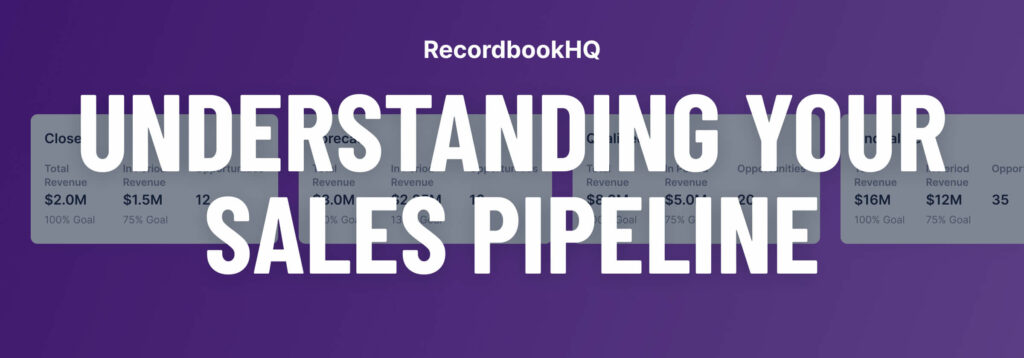
Most pipeline reports answer one question badly: “how much are we going to close?” They mix won deals, wishful deals and dead deals into one total, then ask you to trust it. Recordbook splits the pipeline into separate numbers, each with one job, and recalculates all of them from the opportunities underneath. Nothing is typed into the pipeline by hand. If the number is wrong, an opportunity is wrong, and you know where to look.
This guide walks through every number at the top of the Recordbook screen, how each one is calculated, and how to read them when the deals are shared with a partner.
The four pipeline buckets
Every opportunity’s revenue lands in one of four buckets, based on the stage of its products and services lines (see products and services lines for where stage, confidence and revenue live).
Closed
Revenue you have won. Only products or services marked Stage: Closed-Won count here. Nothing is weighted or estimated: this is money you have actually signed.
Qualified
Opportunities in stages 1 to 5: deals you have evaluated and decided are worth pursuing. Qualified shows the full, unweighted value of those deals, so it answers “how much is in play?”
Forecast
Your best estimate of where you will land. Forecast takes everything in Closed and adds each Qualified deal multiplied by its confidence percentage. A $100,000 deal at 60% confidence adds $60,000, not $100,000.
Unqualified
Opportunities you have identified but haven’t yet decided are a fit. They stay visible, so early conversations aren’t lost, but they don’t inflate the Forecast.
A worked example
Say your pipeline holds four deals:
- Deal A: $120,000, Closed-Won
- Deal B: $100,000, Qualified, 60% confidence
- Deal C: $50,000, Qualified, 30% confidence
- Deal D: $80,000, Unqualified
Recordbook shows Closed $120,000, Qualified $150,000 (B + C at full value), Forecast $195,000 ($120,000 + $60,000 + $15,000) and Unqualified $80,000. Four numbers, four different questions answered, and none of them double-counts the others.
Total revenue vs. in-period revenue
Each bucket has two revenue figures, controlled by the From and To dates above the pipeline.
- Total revenue counts revenue starting on the From date, with no end date. Use it to see the full value of what you’ve built.
- In-period revenue counts only revenue that falls between From and To. Use it for “what lands this quarter?”
The dates that decide what lands in a period are each product line’s payment start date and payment end date, not its close date. A deal that closes this quarter but doesn’t start paying until next quarter adds to total revenue, not to this quarter’s in-period revenue. That is why two deals with the same headline value can contribute very differently to the quarter. The sales forecasting guide covers this in detail.
Opportunities and goals
Opportunities is the count of deals behind the numbers you’re looking at, across Closed, Forecast, Qualified and Unqualified. If revenue jumps and the count doesn’t, one big deal moved. If the count jumps and revenue doesn’t, you’re adding small deals or early-stage ones.
Goals put a target next to each bucket, for both total and in-period revenue, so you can see progress against quota or plan without leaving the screen. Goals have their own guide: sales goal tracking.
The pipeline follows your filters
The pipeline is calculated from the opportunities currently listed below it. Change the list and every number changes with it:
- Search an account name and the pipeline shows only that account.
- Filter by a tag, such as a partner’s name, and the pipeline becomes that partner’s pipeline.
- Filter by a contact and you see everything that person is involved in.
There is no separate report to build for each view. The filter is the report. Advanced sales reports shows how to combine filters, tags and sorting into views your team reuses every week.
Reading a co-sell pipeline
When you sell with a partner, the pipeline problem gets harder. Your CRM says one thing, your partner’s says another, and the “real” number lives in a spreadsheet someone rebuilt last Sunday. Recordbook connects your CRM and your partner’s CRM to one shared workspace, so the opportunities underneath the pipeline are the same records for both teams. When your partner moves a deal, it moves in your pipeline too.
A few habits make the shared pipeline worth trusting:
- Tag every co-sell deal with the partner. Filtering by that tag gives you each partner’s Closed, Forecast and Qualified numbers in seconds, ready for a partner business review.
- Agree on what confidence means. If your team writes 80% for “verbal yes” and your partner writes 80% for “good first call,” the Forecast is fiction. Write the definitions down once.
- Close out on both sides. A deal that is won but still sitting in stage 5 understates Closed and overstates Qualified. For AWS deals this matters twice, because ACE close-outs decide what counts toward your tier. See the AWS ACE guide.
Keeping the pipeline honest
Because every number is calculated, the pipeline is only as good as the opportunities feeding it. Three checks catch most problems:
- Every opportunity has at least one product or service line with a stage, close date, confidence and revenue. An opportunity without one contributes nothing.
- Close dates in the past get updated or closed. Sort by close date once a week and fix anything that has slipped.
- Unqualified deals get a decision. Either qualify them or close them as lost. A growing Unqualified bucket usually means nobody is deciding.
Do those three things and the pipeline at the top of the screen becomes the number you quote in meetings, instead of the number you apologize for.
Try it on your own pipeline
Recordbook is free to start. Every feature is on every plan, and adding your team or your partners costs nothing extra. Create your free workspace.
The Recordbook Fundamentals series
- What’s in a sales opportunity?
- Sales management, all on one screen
- Sales tracking and reporting made easy
- Be in the know with sales notes
- Stay on track with sales action items
- Know your sales contacts
- Access sales intel in seconds
- Create custom sales reports with tags
- Advanced sales reports
- Sales forecasting
- Sales goal tracking