 RecordbookHQ
Sales Goal Tracking: Progress Against Quota, in Real Time
Set as many sales goals as you need, for the company, a team, a rep or a period, and see progress against each one as deals move.
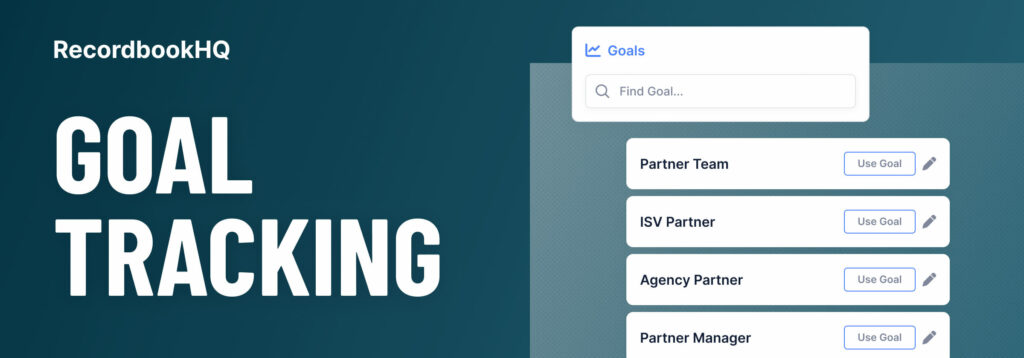
A number without a target is trivia. “We have $1.2M in Forecast” means nothing until someone asks “against what?” Sales goal tracking puts the target next to the number, so progress against quota or plan is on the screen every time you look at the pipeline, not in a slide someone updates once a month.
How goals work in Recordbook
Goals track progress against your sales targets for each pipeline bucket: Closed, Forecast, Qualified and Unqualified. You can create goals for the company, a team, a rep, a month, a quarter, a year, or whatever else you plan around. There’s no limit on how many goals you create.
Each goal can be set two ways:
- Total revenue goal: a target for revenue generated starting on the From date, with no end.
- In-period revenue goal: a target for revenue generated between the From and To dates.
Recordbook shows % Goal, your current progress against the target, and updates it as deals move. Close a deal and Closed % goal moves. Raise confidence on a big opportunity and Forecast % goal moves. Nobody has to recalculate anything.
Why goals on every bucket, not just Closed
Quota is usually measured on Closed. But by the time Closed tells you you’re behind, it’s often too late to fix. Goals on the other buckets give you earlier warnings:
- Closed goal: are we there yet? The number that matters at the end.
- Forecast goal: if the weighted deals land, will we make it? The best mid-quarter indicator.
- Qualified goal: is there enough real pipeline to get there? A common rule of thumb is three times the Closed target, but use your own win rate.
- Unqualified goal: are we creating enough new opportunities to feed next quarter?
If Closed is behind but Forecast is on track, you have a timing question. If Forecast is behind but Qualified is healthy, you have a conversion question. If Qualified is behind, you have a pipeline-generation problem, and it will show up in Closed next quarter.
Setting goals that are useful
- Match the goal to the period. A quarterly quota is an in-period goal with From and To set to the quarter. A three-year bookings target is a total revenue goal.
- Break big goals down. A company goal is easier to act on when each team and rep has their share.
- Set pipeline goals from your conversion rates. If you win one in three qualified deals, a Qualified goal of three times Closed is a plan. Without your rate, it’s a guess.
- Review weekly, not monthly. % to goal moves with every deal. Watching it weekly gives you time to react.
Goals for partner teams
Partner and alliance teams are usually measured on partner-sourced and partner-influenced revenue, and often on targets a cloud provider sets for marketplace or co-sell volume. Those targets deserve the same live tracking as a direct sales quota, instead of a spreadsheet rebuilt before every business review.
Create goals that mirror how you’re measured, such as a quarterly co-sell target or an annual partner-sourced number, and keep the deals behind them accurate. Because Recordbook connects your CRM and your partner’s to one shared workspace, a shared deal moves for both teams when either side updates it, so % to goal reflects what’s actually happening in the field. Tag co-sell deals by partner and you can see which partners are carrying the number. The co-selling guide covers the metrics that matter for partner programs.
Goals and forecasting together
Goals tell you where you need to be. The forecast tells you where you’re headed. Read them side by side: Forecast against goal is the gap you need to close, and the opportunity list sorted by total revenue or close date shows which deals can close it. For how the Forecast number and in-period revenue are calculated, see sales forecasting.
The point of tracking goals
Goal tracking isn’t about watching a percentage. It’s about finding out early enough to do something. When the target sits next to the live number every day, the conversation shifts from “did we hit it?” at quarter end to “what do we need to do this week?” while there’s still time to act.
Try it on your own pipeline
Recordbook is free to start. Every feature is on every plan, and adding your team or your partners costs nothing extra. Create your free workspace.
The Recordbook Fundamentals series
- What’s in a sales opportunity?
- Understanding your sales pipeline
- Sales management, all on one screen
- Sales tracking and reporting made easy
- Be in the know with sales notes
- Stay on track with sales action items
- Know your sales contacts
- Access sales intel in seconds
- Create custom sales reports with tags
- Advanced sales reports
- Sales forecasting