 RecordbookHQ
how-to guide
Get Started: Connect Your AI, Invite Your Team and Share Your First Deal
Your first ten minutes in Recordbook: the welcome screen, connecting your AI, inviting teammates, and sharing a deal with a partner.
- Who
- Whoever sets up the workspace
- Time
- About 10 minutes
- You need
- An email address, or a Google account
- Plan
- Free to start
Recordbook keeps one shared record for each deal you work with partners: the account, the deal, the people on both sides, the notes and the next steps. This guide takes you from sign-up to your first shared deal. The fastest way to fill Recordbook is to connect your AI first and tell it about your deals, so that’s where the app starts you.
Create your workspace
-
Sign up
Go to app.recordbookhq.com/join. Choose Sign up with Google, or use your email. Name your workspace after your company.
Have a coupon code? Click Have a coupon code? and enter it. It’s saved with the workspace and applied when you upgrade.
-
Land on the welcome screen
New workspaces open on Run co-selling from your AI. It has two cards: Connect your AI and Have your first conversation. If you’d rather look around first, Go to my dashboard is at the bottom, and you can come back any time from the account menu’s Connect your AI.
Connect your AI
Recordbook works inside Claude, ChatGPT and Gemini. Your assistant signs in as you, works in this one workspace, and asks before it changes anything.
-
Copy the server URL
Under RecordBook server URL, click Copy. It’s
https://api.recordbookhq.com/mcp. -
Pick your assistant’s tab and follow its steps
The tabs are Claude, ChatGPT, Gemini and Other. Each lists what to click in that app. You’ll add Recordbook as a connector, sign in to Recordbook when asked, pick your workspace and click Approve.
-
Wait for the green light
The page notices the moment you approve and says Connected. The second card then lights up.
Have your first conversation
The second card has four prompts with Copy buttons. Paste one into your assistant, or say it your own way:
“Add a deal to Recordbook: Acme Corp (acme.com), $40,000 platform deal at proposal stage, closing end of next month. Dana Lee ([email protected]) is our champion, and Northwind sourced it.”
“Here are my open deals. Add each one to Recordbook as an account and a deal, and check for duplicates first:”
Paste a list after that one: a spreadsheet export, notes, anything.
“What needs my attention in Recordbook today?”
“Share my Acme Corp record in Recordbook with [email protected] so we can co-sell on it.”
When you’re done, click Done, go to my dashboard. A short guided tour starts there: your pipeline, records, search, adding a record, asking in plain words, sharing, activity and the account menu. Replay it any time from Take the tour in the account menu.
Invite your team
Teammates work in the same workspace and see every record. Add as many as you like on any plan.
-
Open the team page
Open the account menu (your initials, top right) and choose Team. It opens Settings › Users.
-
Click Invite people
Type one or more addresses into Email addresses, separated by commas, and click Send invitations. Each person gets an email with a link to join.
-
Set roles
Everyone joins as a Member. To make someone an Admin, change their role in the list once they’ve joined. Admins handle billing, integrations, imports, account lists and registration terms.
Share your first deal with a partner
Partners aren’t added to your team. You share individual records with them, and they see only those. They join free.
-
Open the record and click Share
It’s in the record’s header. The Invite partners to this record window opens.
-
Find your partner
Type an email, a company or a name into the search box. Pick a match, or type a new email address and click Add.
-
Click Send
Your partner gets an email that opens the shared record. If they’re new to Recordbook, they create a free account first. They then find it under Shared with me.
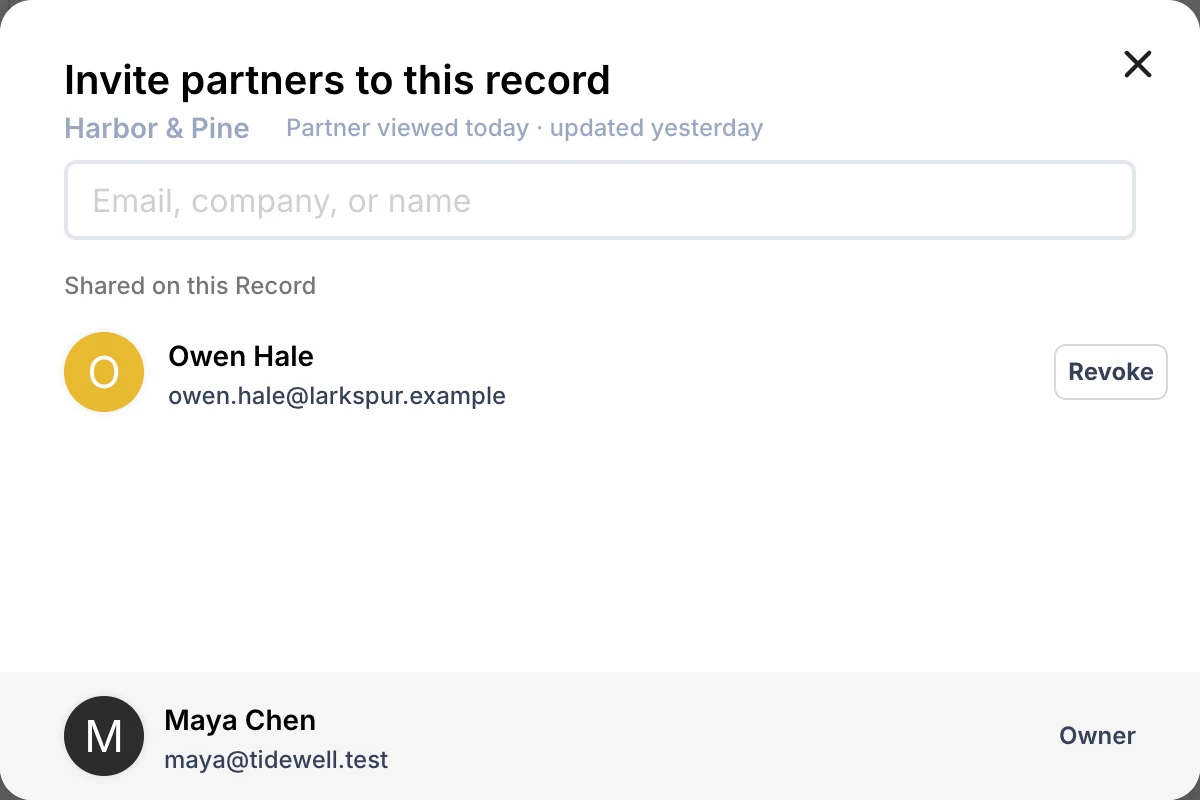
On the shared record, your partner sees the deals, the action plan, the people on both sides, open actions and your shared notes. They can add notes and actions, update the deal, add people from their side and register deals. They never see notes you mark Internal, and they never see your other records.
Where to go next
- Bring in your CRM. HubSpot, Salesforce, Pipedrive and Attio import your companies, contacts and deals. See two-way CRM sync.
- Credit your partners. Set who sourced and influenced each deal. See partner attribution.
- Lock down your account. Turn on two-factor sign-in.