 RecordbookHQ
how-to guide
Account Security: Two-Factor and Google Sign-In
Turn on two-factor sign-in with an authenticator app, keep your recovery codes safe, and sign in with Google.
- Where
- Settings › Security
- Who
- Everyone, for their own account
- You need
- An authenticator app on your phone
- Time
- 3 minutes
Your Recordbook holds your pipeline and your partners’ deals. Two-factor sign-in means a stolen password isn’t enough to get in: each sign-in also asks for a 6-digit code from your phone. You can also sign in with Google, which skips passwords altogether.
Turn on two-factor
-
Get an authenticator app
Any of them works: Google Authenticator, 1Password, Authy, Microsoft Authenticator.
-
Open Settings › Security
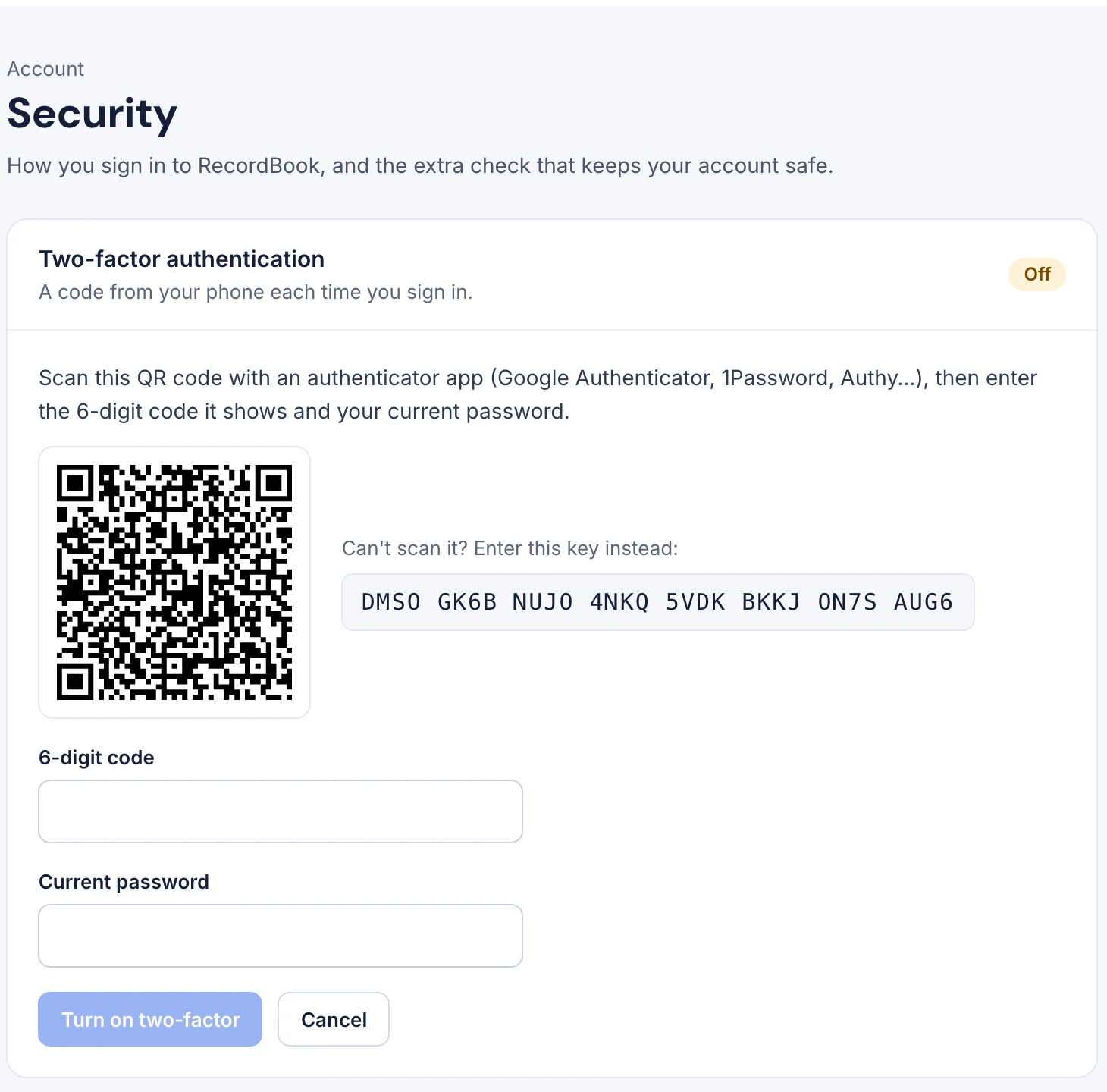
Under Two-factor authentication, click Set up two-factor.
-
Scan the QR code
Add an account in your authenticator app and scan the code on screen. Can’t scan? Type the key shown under Can’t scan it? Enter this key instead.
-
Confirm
Enter the 6-digit code your app shows and your Current password, then click Turn on two-factor.
-
Save your recovery codes
You get 8 recovery codes. Each one signs you in once if you lose your phone. Click Copy codes or Download .txt, put them in your password manager, then click I’ve saved them.
Sign in with two-factor
After your password (or Google), the Two-factor check asks for the 6-digit code. Enter it and click Verify and sign in.
- No phone? Click Use a recovery code and type one of your saved codes. Each works once.
- Running low? On Settings › Security, New recovery codes makes a fresh set; the old ones stop working.
- To turn it off, click Turn off and enter your password and a code.
Sign in with Google
-
On the sign-in page, click Continue with Google
New to Recordbook? Sign up with Google on the sign-up page creates your account, after you name your workspace and click Create my free account.
-
Already have an account with the same email?
Google sign-in links to it. To link a different Google account, or check which one is linked, use Google sign-in on Settings › Security: Connect Google or Disconnect Google.
For admins
- See who has two-factor. Team two-factor on Settings › Security shows how many of your team have it on, and who signs in with Google.
- Read the audit log. Settings › Audit log lists sign-ins and failures, two-factor and password changes, invites, role changes, integrations, exports and more, with the person, time and IP address. Filter it and click Export CSV.
- Changing a sign-in email only takes effect once the link sent to the new address is clicked. The old address is told.