 RecordbookHQ
how-to guide
Partner Attribution: Credit Partners and Read Their Scorecards
Record who sourced and influenced each deal, then read each partner's scorecard, the attribution report and the joint forecast on the Partners page.
- Where
- A deal’s Partners tab, and the Partners page
- Who
- Anyone on the team sets it once; admins change it
- Time
- 1 minute per deal
- Plan
- Every plan
At the end of every quarter someone asks which partner brought in which deal. Recordbook answers it as you go: each deal names the partner that sourced it and the partner that influenced it, and the reps credited on both sides. The Partners page then turns that into a scorecard for each partner, a de-duplicated attribution report and a joint forecast.
New to the terms? Partner-sourced vs. partner-influenced explains them.
Credit partners on a deal
-
Open the deal
On the record, go to Opportunities. Add a deal with New Opportunity, or edit one that has no partner credit yet.
-
Open the Partners tab
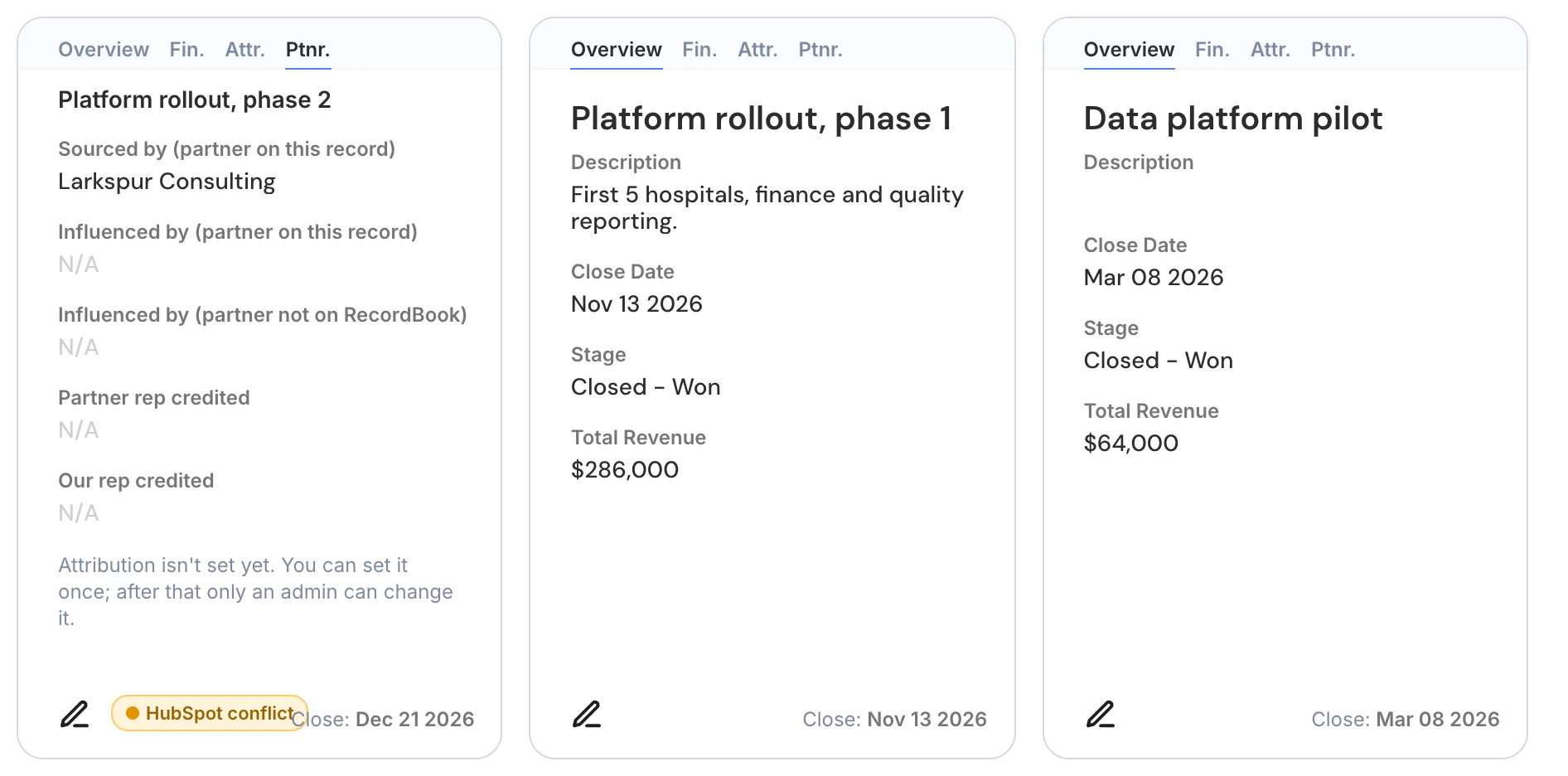
The deal panel has four tabs: Overview, Financials, Attribution and Partners. On a phone they’re shortened to Fin., Attr. and Ptnr.
-
Pick who sourced it and who influenced it
- Sourced by (partner on this record) lists the partners the record is shared with.
- Partner not on Recordbook? Type their name in Sourced by (partner not on RecordBook) instead.
- Do the same for Influenced by.
- Add the Partner rep credited and Our rep credited.
-
Click Save
The credit is now locked. That keeps the numbers honest: nobody re-labels a deal at quarter end.
Read the Partners page
Open the account menu and choose Partners, or go to app.recordbookhq.com/partners. Pick a Period: This quarter (the default), last quarter, this year, last year or All time.
Attribution
Won, open pipeline, weighted open and lost, for partner-sourced deals, partner-influenced deals, deals that are both, and deals with no partner. Partner-involved, counted once is the line to report: a deal that was both sourced and influenced is counted one time, not two. Partner share is the part of all your deals that partners touched.
Scorecards
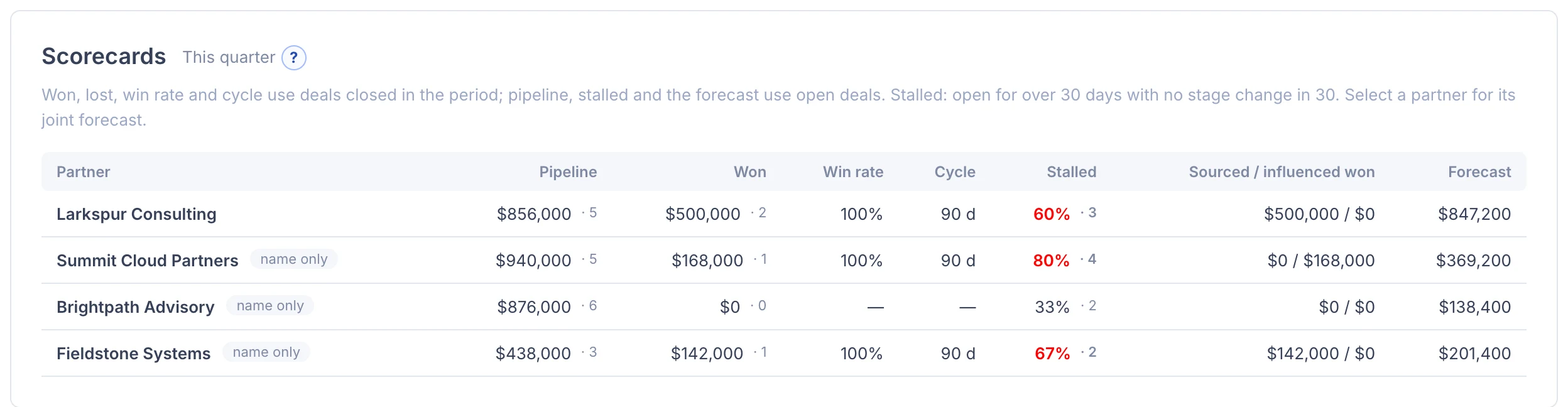
One row per partner: pipeline, won, win rate, sales cycle, stalled deals, sourced and influenced wins, and forecast. A deal counts as stalled when it’s been open more than 30 days with no stage change in 30. The stalled cell is highlighted when half or more of a partner’s deals are stalled.
Joint forecast
Click a partner’s row to open their detail: won, weighted open, projected and best case for the pipeline you share, revenue by period, and their open deals.
Ask your AI
“How is Northwind doing this quarter?”
“Show me partner scorecards, and which partner has the most stalled deals.”
“Add Globex: $80k platform deal, closing in March, sourced by Northwind, influenced by Brightline.”
Credit given at creation locks like it does in the app. Changing it later needs an admin.
The same questions work in the app’s search bar and in RecordbookAI.