 RecordbookHQ
how-to guide
Partner Referrals: Referral Links and the Referrals Inbox
Give each partner a referral link, review the leads they send, and turn the good ones into records with the partner credited.
- Where
- Settings › Referrals
- Who
- Your team; partners need no login
- Time
- 1 minute per partner
- Plan
- Every plan
Give each partner their own referral link. Their reps open it, fill in a short form about the lead, and send it. No login, no account. The lead waits in your Referrals inbox; accept it and it becomes a record with the lead as a contact and the partner credited as the source.
Make a link for a partner
-
Open Settings › Referrals
Or choose Referrals in the account menu, under Co-selling.
-
Create the link
Under Referral links, enter the Partner name and, if you like, a Partner email (optional). Click Create link.
-
Send it to the partner
Click Copy link and share it however you like: email, Slack, their partner portal. Anyone at the partner can use it.
What the partner sees
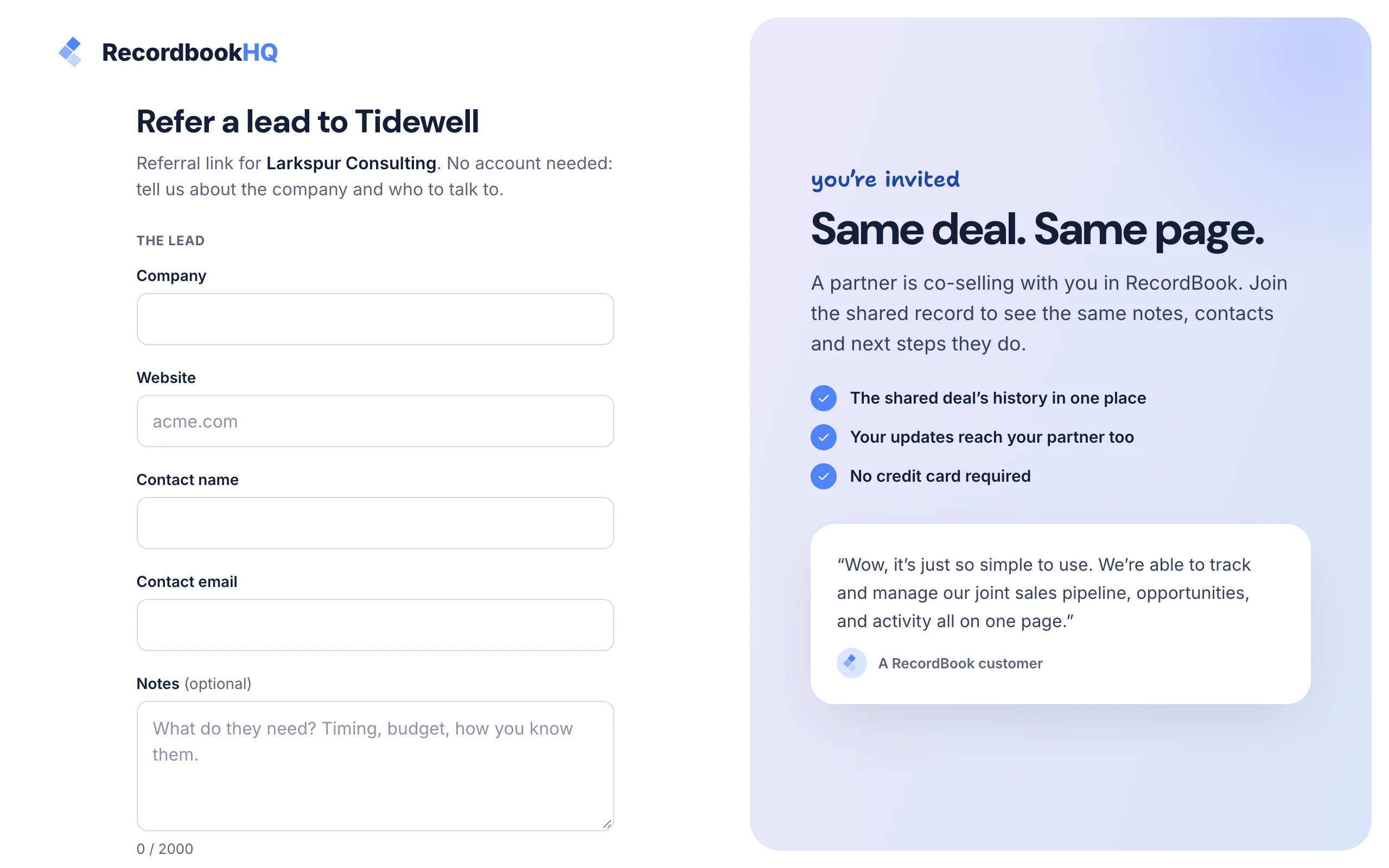
The link opens Refer a lead to your company: the lead’s company, website, contact name and email, and notes (what they need, timing, budget), then the partner’s own name and email. They click Send referral and see Referral sent, with a button to refer another.
Accept or decline a referral
-
Open the Inbox
New referrals are under Pending, with the contact, who sent it and their notes. Your admins also get an email for each one.
-
Accept it as a record
Click Accept, pick a Record type, and leave Share the record with … ticked to share it with the partner who sent it. Click Create record. The record is marked as a referral from that partner, with the lead as a contact and their notes as a note.
-
Or decline it
Click Decline, give a Reason for declining (for example, We’re already working with them directly), and click Decline and email. The partner gets the reason.
Turn a link off
Click Revoke next to the link and confirm. It stops accepting referrals straight away; referrals already sent stay in your inbox. The person who made the link or an admin can revoke it.
Ask your AI
“Review my referrals inbox.”
“Accept the Brightline referral for Initech and share it with them.”
Your AI proposes the decision and waits for your second yes.