 RecordbookHQ
how-to guide
Account Mapping: Find Overlaps with a CSV or Crossbeam Export
Upload a partner's account list, see the accounts you share in four overlap groups, add new ones as records and ask for warm intros.
- Where
- Settings › Overlaps
- Who
- Admins upload; everyone browses
- You need
- The partner’s account list: CSV, Excel or a Crossbeam export
- Plan
- Every plan
Account mapping shows which accounts you and a partner have in common, and where one of you is already in. Upload the partner’s account list and Recordbook matches it to your records, by website first and then by name. You get four overlap groups, plus the accounts only the partner has, which you can add as records in one click.
Why it matters: how to find co-sell opportunities with account mapping.
Get the partner’s list
Ask the partner for a list of their accounts with these columns: Name, Website, Status (Customer or Prospect), Owner Name and Owner Email. The upload screen has Download the template to send them.
Upload and match
-
Open Settings › Overlaps
Or Overlaps in the account menu. The page is Account overlaps.
-
Fill in Upload a partner’s accounts
Enter the Partner name, optionally a Partner contact email (optional) for intros, and choose the file under Account list. Up to 5,000 rows and 10 MB.
-
Click Upload and match
Recordbook reads the file, matches it, and deletes the file. Only the matches are kept.
Read the overlaps
Overlaps with the partner shows five groups. Each says where the account stands on each side:
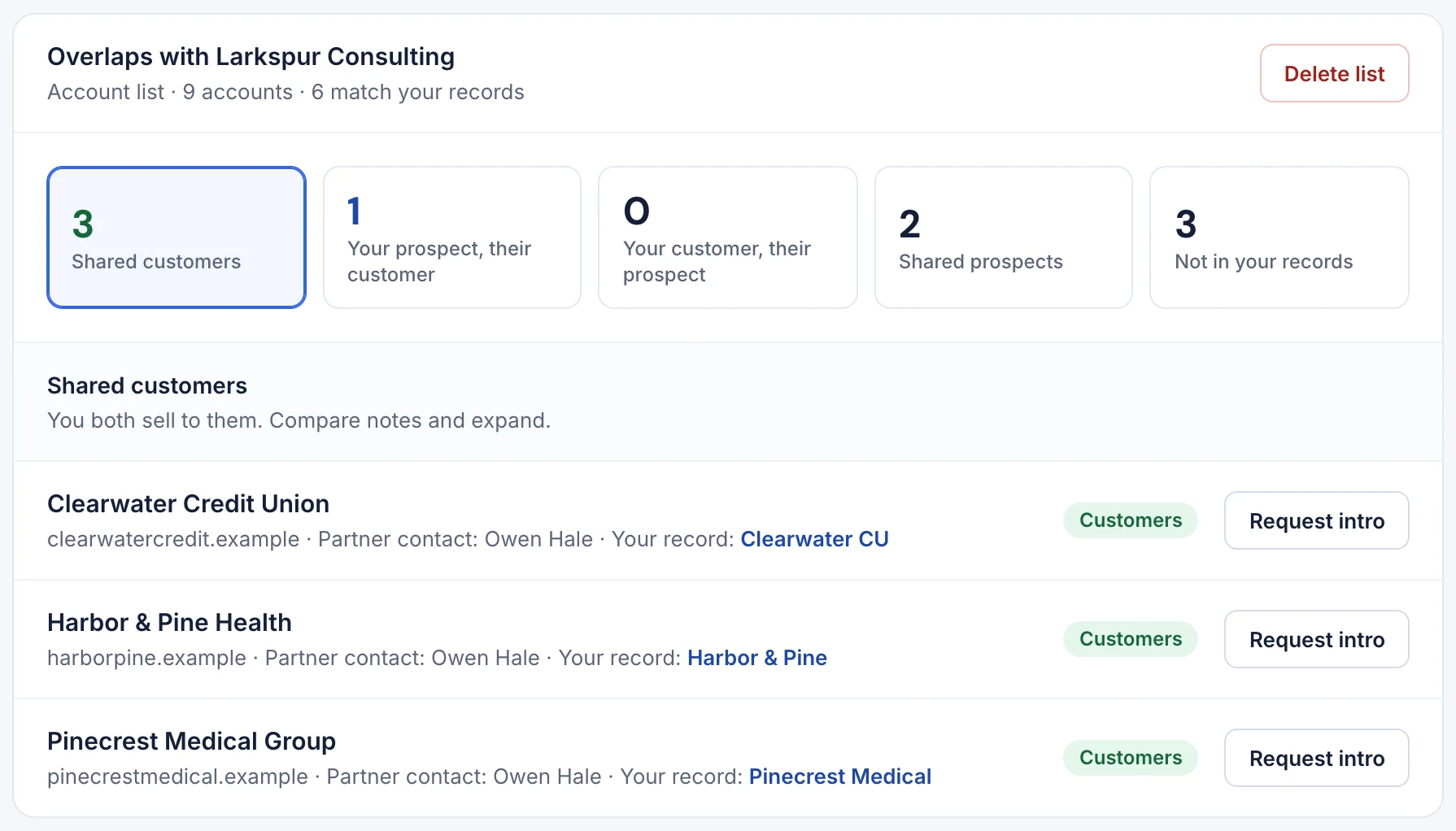
- Your prospect, their customer is usually the best place to start: ask the partner for an intro.
- Your customer, their prospect is where you can help them, and earn the favour back.
- Shared prospects are deals to plan together.
- Shared customers are expansion and renewal plays.
Add accounts as records
-
Open Not in your records
These are accounts only the partner has. Tick the ones worth pursuing.
-
Click Add N as records
Each new record is marked as sourced by the partner. On the Free plan they count toward the 25 active records.
Ask for a warm intro
-
Click Request intro on an account
Enter the Partner contact email, their name if you like, and a short note on why an intro would help. Click Send request.
-
The partner says yes or no
They get a link to an Intro request page with Accept intro and Decline. The link works for 14 days.
-
One email to both sides
Only after they accept does Recordbook send one email introducing you both. Track each request under Intro requests: Waiting for partner, Introduced, Declined or Cancelled.
Ask your AI
“Which of Northwind’s customers are my prospects?”
“Summarise my overlaps with each partner, and suggest three intros to ask for.”