 RecordbookHQ
how-to guide
Deal Registration: Register, Decide and Protect Partner Deals
How partners register a deal, how your team checks conflicts and approves or rejects it, and how protection, extensions and terms work.
- Where
- Settings › Registrations, and the shared record
- Who decides
- An admin or the record’s owner
- Defaults
- 2 business days to decide, 90 days of protection
- Plan
- Every plan
Deal registration is how a partner says “this deal is ours”. In Recordbook the partner registers it right on the record you share with them. You see a conflict check, decide within a deadline, and an approved deal is protected for a set time with one owner named on each side.
For the background and policy questions, read how partner deal registration works. This guide covers the clicks.
Set your terms first
-
Open Settings › Registrations › Terms
The account menu’s Registrations item opens the same page. Only admins see the Terms tab.
-
Choose a deadline and a protection window
Decision deadline (business days) is how long your team has to decide, from 1 to 30 (default 2). Protection window (days) is how long an approved deal stays protected, from 14 to 365 (default 90). Click Save terms.
For partners: register a deal
-
Open the shared record
Go to Shared with me and open the record. In the Deals section, click + Register a deal.
-
Fill in the deal
The customer, their website, the product or service, a customer contact and their email, a rough size, the expected close and how you found it. The product is required.
-
Send it
Click Register deal. The team that shared the record is told, and the registration shows as Pending decision.
For your team: decide
-
Open the Inbox tab
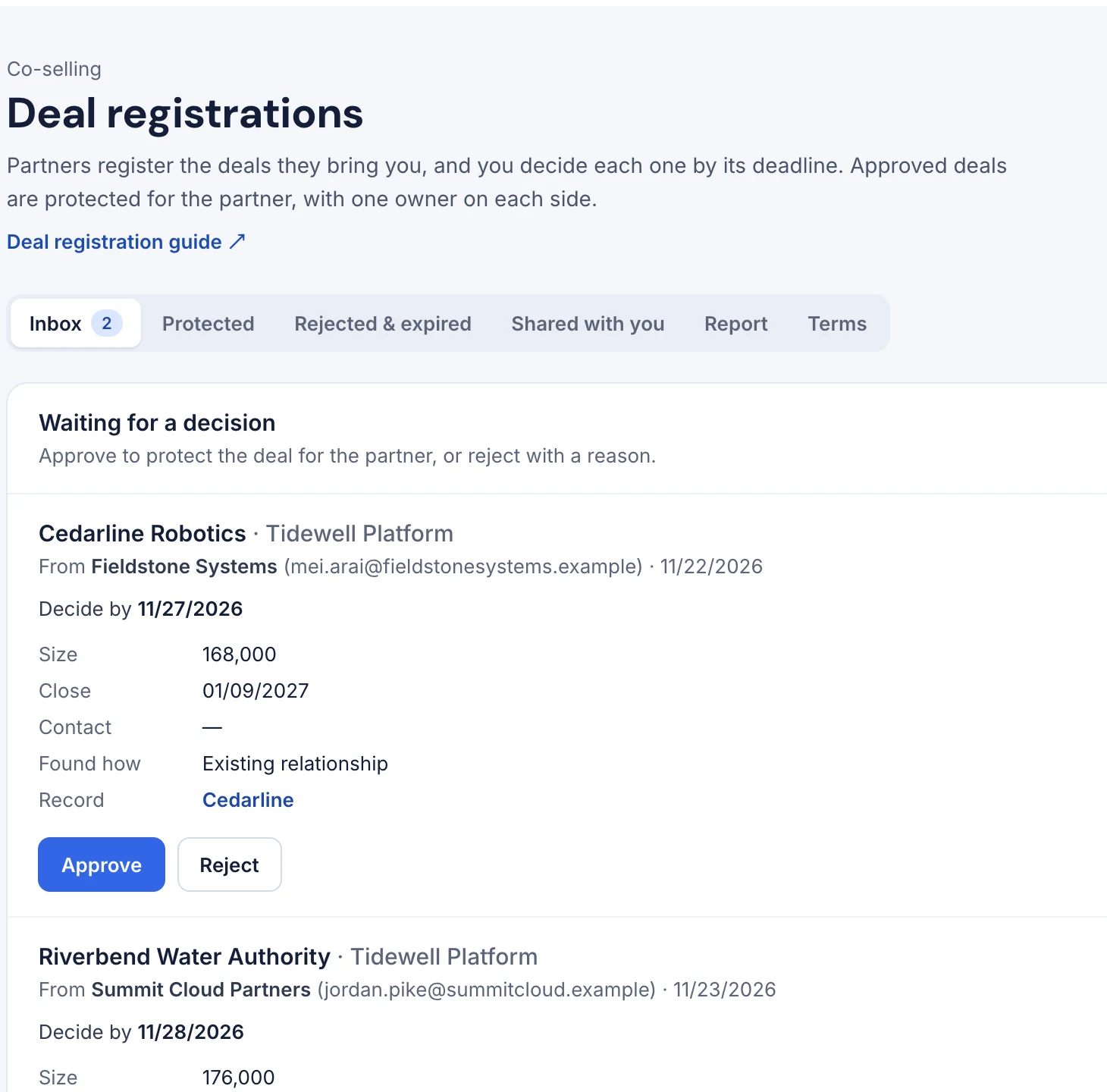
Waiting for a decision lists each pending registration with its Decide by date. Overdue ones say Decision overdue since.
-
Read Check before deciding
The conflict check lists anything that overlaps: another partner who registered the same company, an open deal on the account, or the account already being a customer. It never rejects anything on its own; it shows you the facts.
-
Approve or reject
- Approve asks for Your owner (you or a teammate) and what to Link to: a new Partner – Sourced deal on the record, or a deal that already exists. Click Approve and protect. The partner who registered is their side’s owner.
- Reject asks for a reason (at least 3 characters), which is emailed to the partner. Click Reject and email.
Protection, reminders and extensions
- Protected deals are listed under Protected with the days left.
- Reminders go out 14 days and 3 days before protection ends. Then the registration expires; the deal itself stays.
- One extension per deal. Either side can click Request extension, ask for 30 to 60 extra days and give a reason. An admin approves or declines it. It must be asked for while the deal is still protected.
- The Report tab shows registrations submitted, approval rate, median time to decide, how many went on to win, how many expired without progress and how many decisions are overdue, with a table by partner.
Ask your AI
“Go through my pending deal registrations and tell me about any conflicts.”
“Approve Northwind’s Globex registration, with me as owner.”
Decisions are proposals: your AI shows exactly what it will do and waits for a second yes.
“Which protected deals expire in the next two weeks?”