 RecordbookHQ
how-to guide
Alerts: Morning Email, Weekly Digest and Partner Nudges
What the morning email and weekly digest contain, how partners get their own, and when a shared deal "needs a nudge".
- Where
- Settings › Alerts
- Who
- Everyone; admins set the nudge days
- When
- 7:00 and Mondays 7:30, New York time
- Plan
- Every plan
Recordbook tells you what needs doing, so a deal never stalls because someone forgot. Each person gets a short morning email on days there’s something in it, the team gets a weekly digest, and partners get their own morning email for the deals you share. Shared deals that have gone quiet are flagged Needs a nudge.
What each email holds
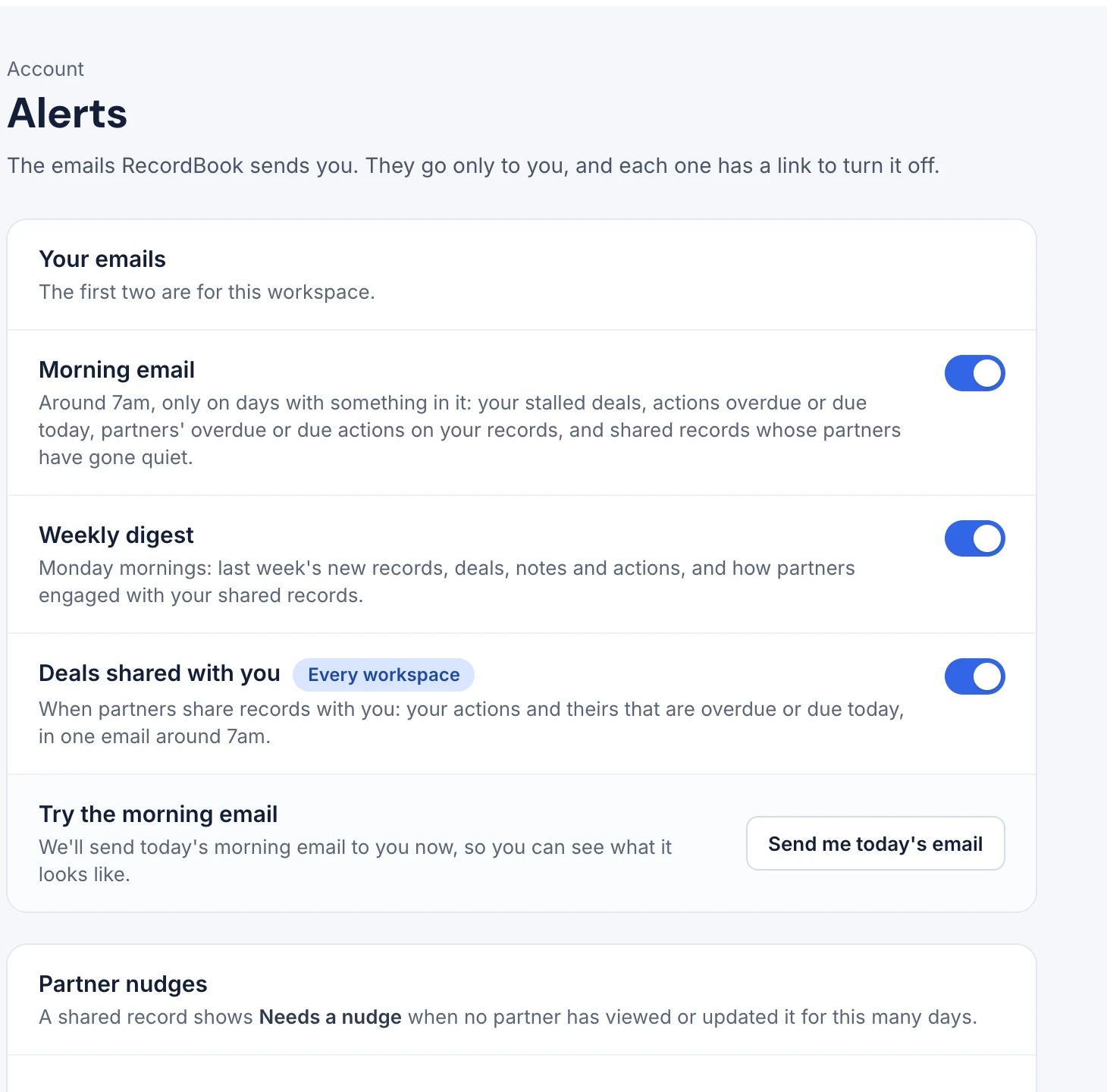
Morning email
Your overdue actions, actions due today, your stalled deals, partners’ overdue or due actions on your records, and shared records whose partners have gone quiet. Around 7am New York time, and only on days with something to say.
Weekly digest
Monday mornings: last week’s numbers for the workspace, plus a partner line such as Partners opened 4 shared records and updated 2. 3 need a nudge.
Deals shared with you
For partners: one email across every company that shares records with you, with your actions and the owning team’s actions that are due or overdue.
Choose your emails
-
Open Settings › Alerts
Under Your emails, switch Morning email, Weekly digest and Deals shared with you on or off. These are yours alone; teammates choose their own.
-
See today’s email now
Click Send me today’s email next to Try the morning email. If there’s nothing due, it says Nothing to send.
Partner nudges
Recordbook notes when a partner last opened and last changed each shared record. Your team sees it in the record header and the Share window: Partner viewed 2 days ago · updated 5 days ago, or Partner hasn’t viewed yet. Partners never see this about themselves.
When a shared record has had no partner activity for a set number of days, it shows Needs a nudge in your record list and in the morning email.
-
Set the quiet days (admins)
On Settings › Alerts, under Partner nudges, set Days without partner activity between 1 and 90 (default 7) and click Save.
-
Nudge
Open the record, add a note or an action for the partner, or just send them a line. Any partner activity on the record clears the flag.
Ask your AI
“Which shared deals need a nudge, and what should I ask each partner?”
“Write a short check-in to Northwind about the deals that have gone quiet.”