 RecordbookHQ
how-to guide
Calendar and Google: iCal Feed, Google Calendar, Gmail and Sheets
Put your actions and close dates on any calendar, file meetings and emails on records, and keep a live pipeline sheet in Google Drive.
- Where
- Settings › Integrations › Calendar & email
- Who
- Each person for their own; admins for Sheets
- Time
- 2 minutes each
- Plan
- Every plan
Four ways to get Recordbook into the tools you already live in:
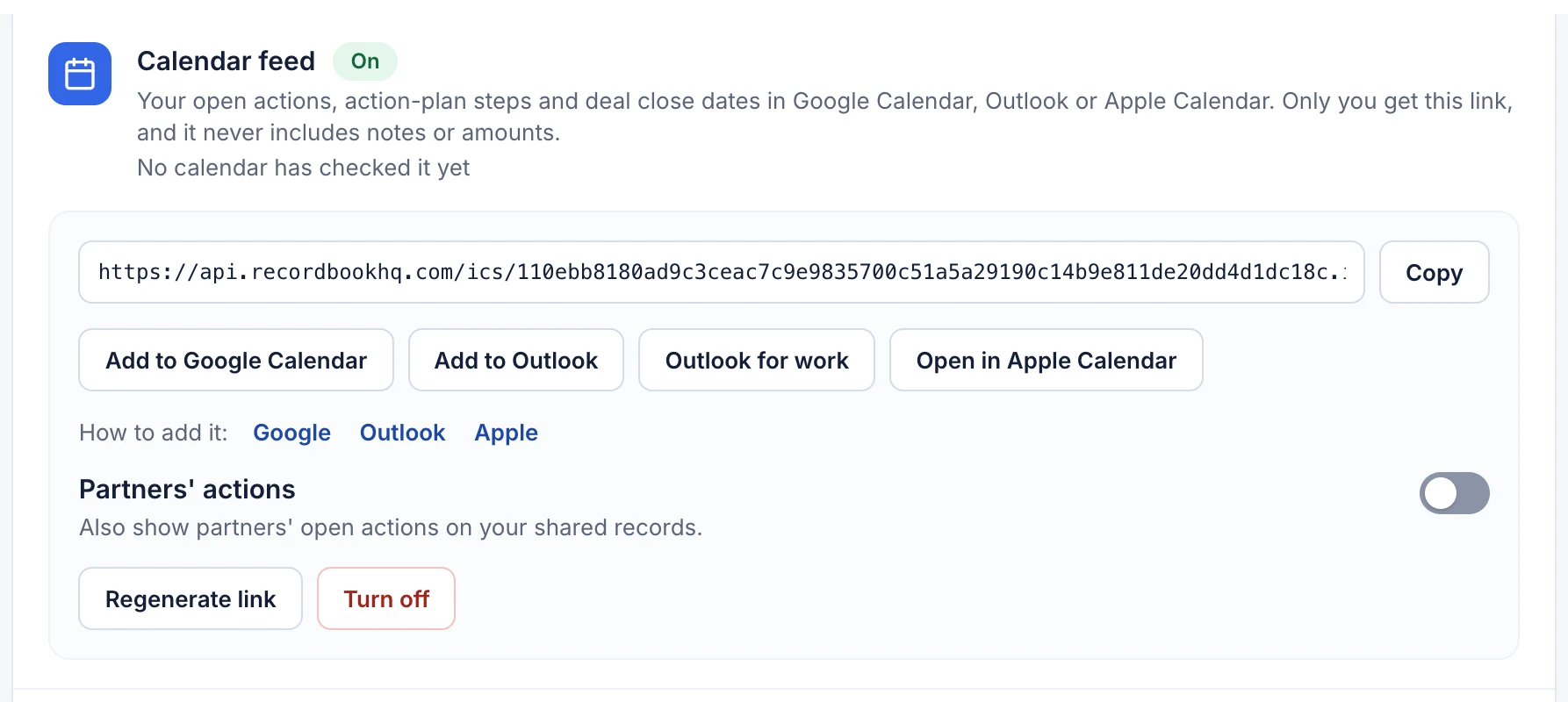
- Calendar feed: your actions, plan steps and close dates in Google Calendar, Outlook or Apple Calendar. Read-only, works with any calendar.
- Google Calendar: meetings with a record’s contacts are filed on the record, and your actions can sit in your calendar both ways.
- Gmail: email threads with a record’s contacts are logged on the record.
- Google Sheets: a live sheet of the whole pipeline in Drive.
Everything here is under Settings › Integrations. Calendar and email are just for you: each teammate connects their own.
Subscribe to your calendar feed
-
Turn it on
On the Calendar feed card, click Turn on calendar feed. Your private link appears.
-
Add it to your calendar
Click Add to Google Calendar, Add to Outlook, Outlook for work or Open in Apple Calendar. For anything else, Copy the link and subscribe to it by URL. How to add it: has the steps for each.
-
Optional: partners’ actions
Turn on Partners’ actions to also see partners’ open actions on records shared with you.
Connect Google Calendar
-
Click Connect on the Google Calendar card
Choose your Google account and allow access.
-
Choose what it does
- Meetings with a record’s contacts are filed on that record as internal notes: title, time and attendees.
- Include meeting descriptions adds the invite’s description too. Off by default.
- Add my actions to Google Calendar puts your open actions due in the next 90 days in your calendar as all-day events. Drag one to another day in Google and its due date moves in Recordbook too.
-
Let it sync
It syncs every 15 minutes. Sync now runs it straight away.
Connect Gmail
Gmail logs email threads with a record’s contacts on the record, as one internal note per thread: subject, people and dates. Recordbook never reads the message text. Email already filed with email-in isn’t logged twice.
Keep a pipeline sheet in Google Sheets
-
An admin clicks Connect under Spreadsheets
Recordbook creates a sheet in that admin’s Google Drive. It only gets access to files it creates.
-
Open it
Click Open sheet. It has three tabs: Deals, Records and About, with stages, amounts, close dates and attribution. It’s rewritten every hour.
Good to know
- Google’s warning screen. While Google finishes reviewing Recordbook’s calendar access, Google may show a screen saying the app hasn’t been verified. Choose to continue to Recordbook if you trust it.
- Disconnect any Google card with Disconnect. Notes already on your records stay there.
- Needs attention means Google refused access. Click Reconnect and allow access again.
Ask your AI
“Turn on my Recordbook calendar feed and give me the link.”
“Sync my Google Calendar now, then tell me which meetings were filed this week.”
Changing the feed is a proposal, carried out after your yes. Connecting Google itself happens in the app.