 RecordbookHQ
Pipeline dashboard
Your whole pipeline, on one screen.
Closed won against your goal, the forecast, qualified pipeline and the deals that stalled, with every account one click away.
No credit card required.
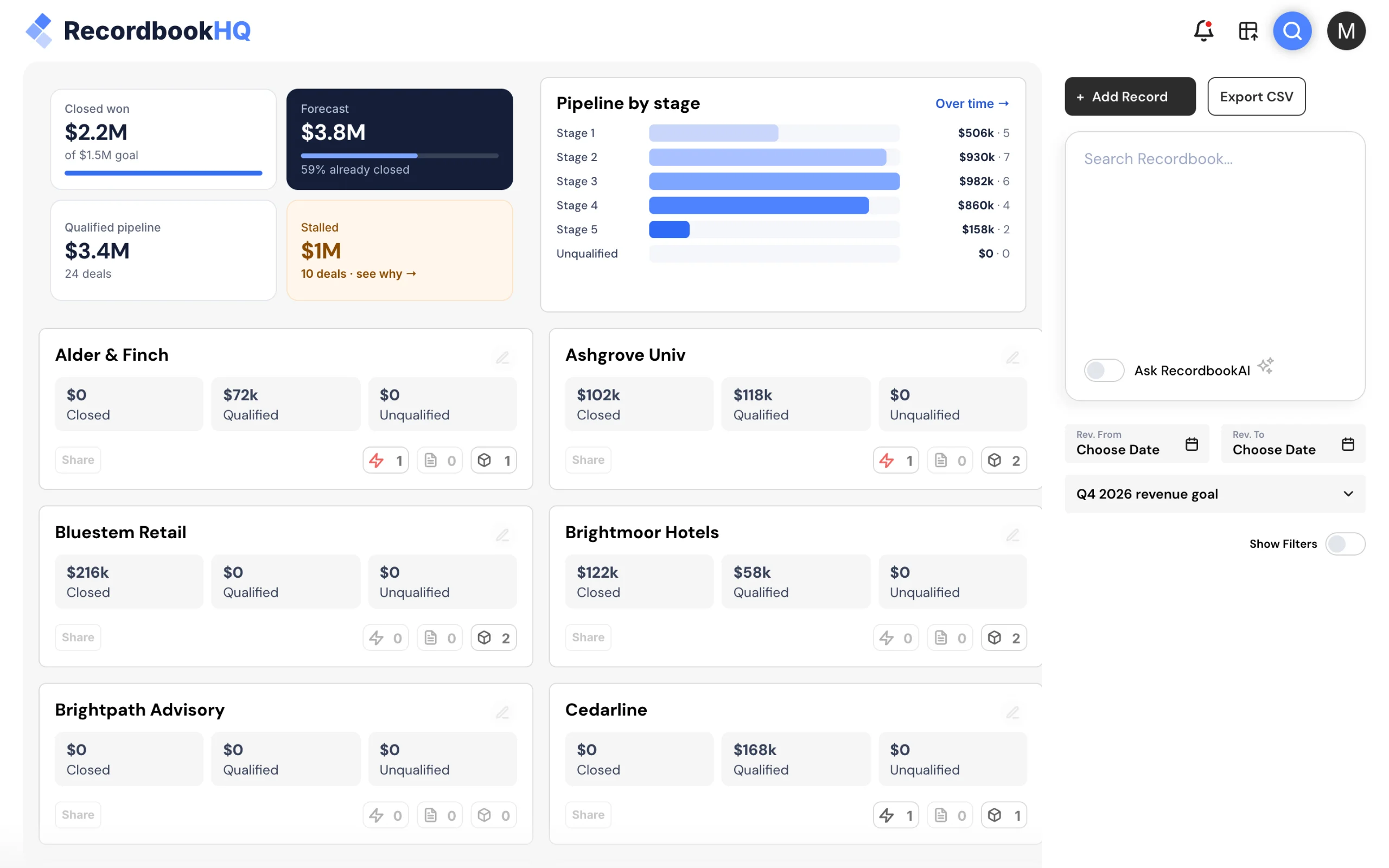
The dashboard is the first thing you see in Recordbook, and it’s built to answer one question fast: are we going to hit the number? Four tiles give you the answer, the funnel shows where the money is, and every account is one click away.
Four numbers that tell the story
The top of the dashboard is four tiles, each a question you’d otherwise ask in a pipeline review.
- Closed won, measured against your goal when you pick one.
- Forecast, and how much of it has already closed.
- Qualified pipeline: the deals that are really in play.
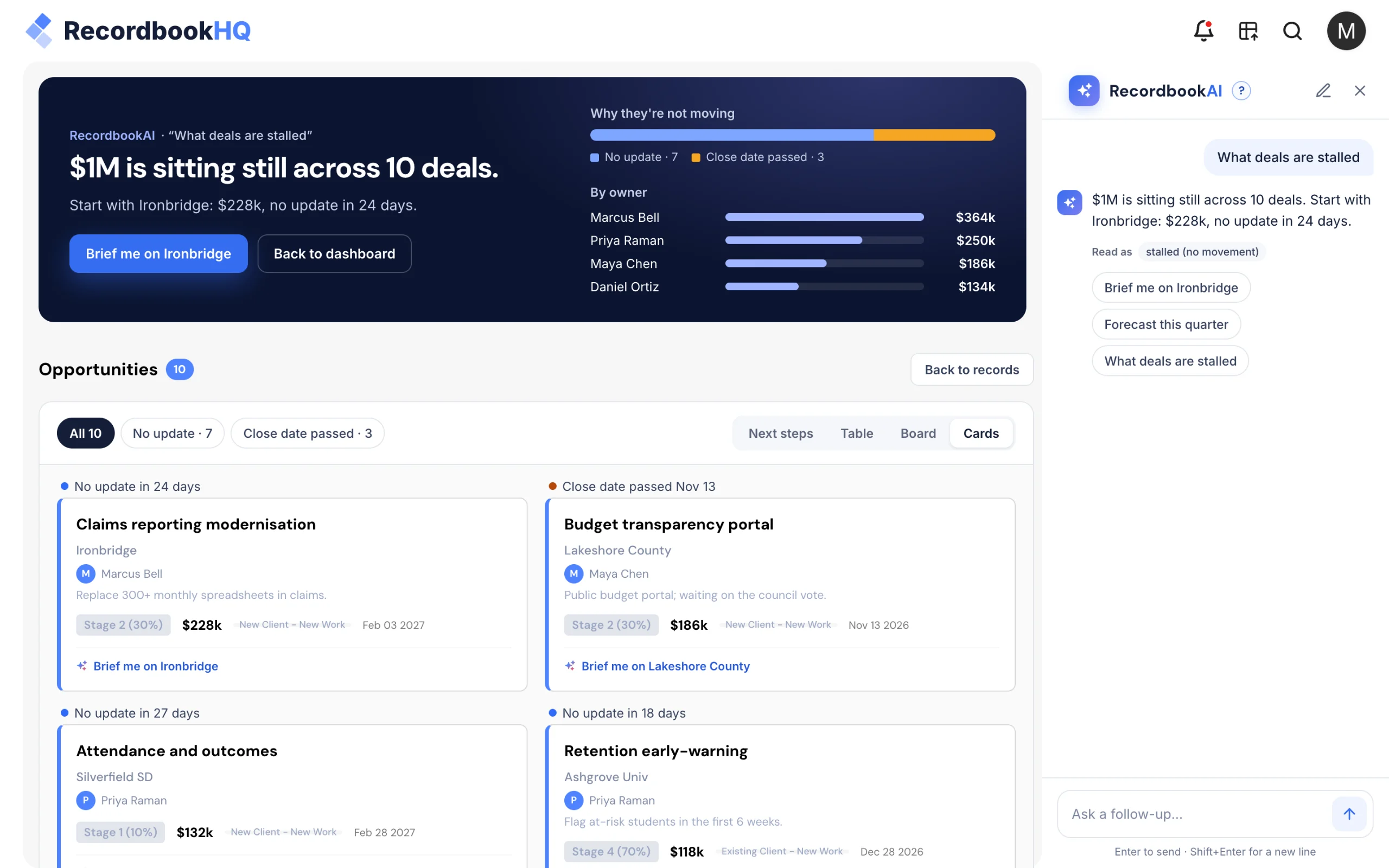
- Stalled: qualified deals with no update in 14 days. Click it and RecordbookAI tells you why each one stopped.
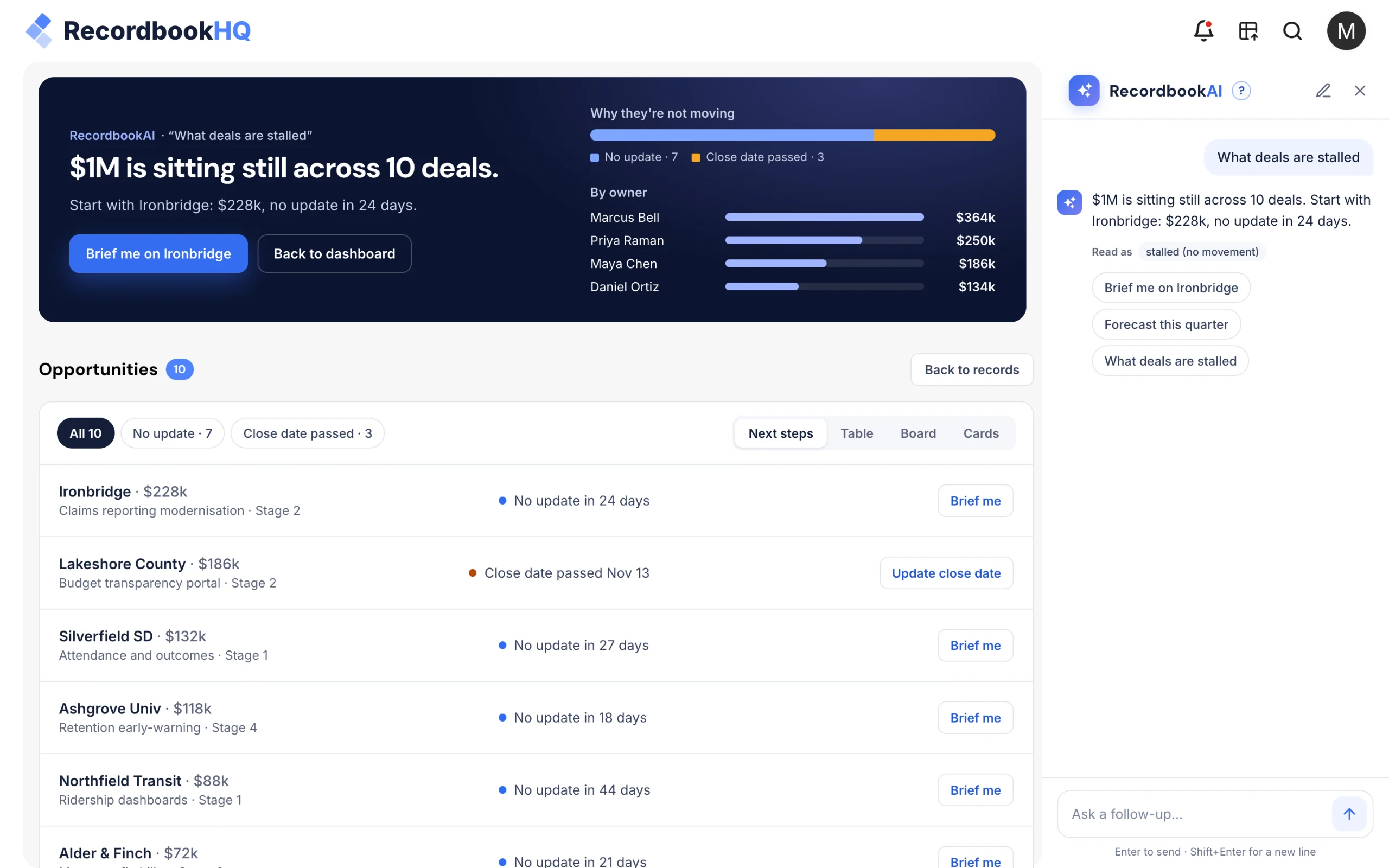
Pipeline by stage, or over time
Beside the tiles, the pipeline by stage shows how much is sitting in each stage and how many deals are there. One click on Over time swaps it for the revenue trend, so you can see whether the pipeline is growing or draining.
Narrow it to a date range, or pick a goal, from the panel on the right.
Four ways to work your deals
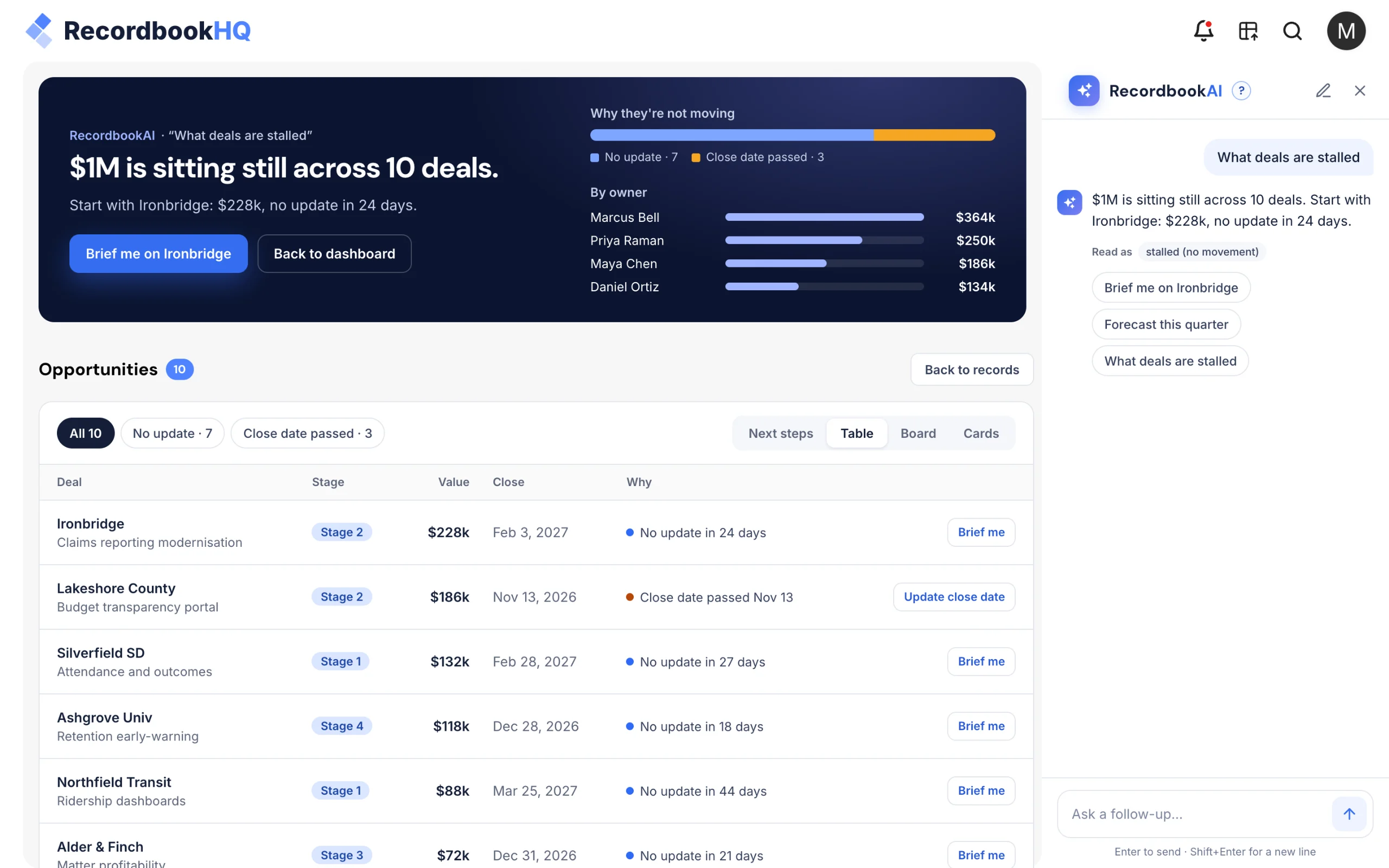
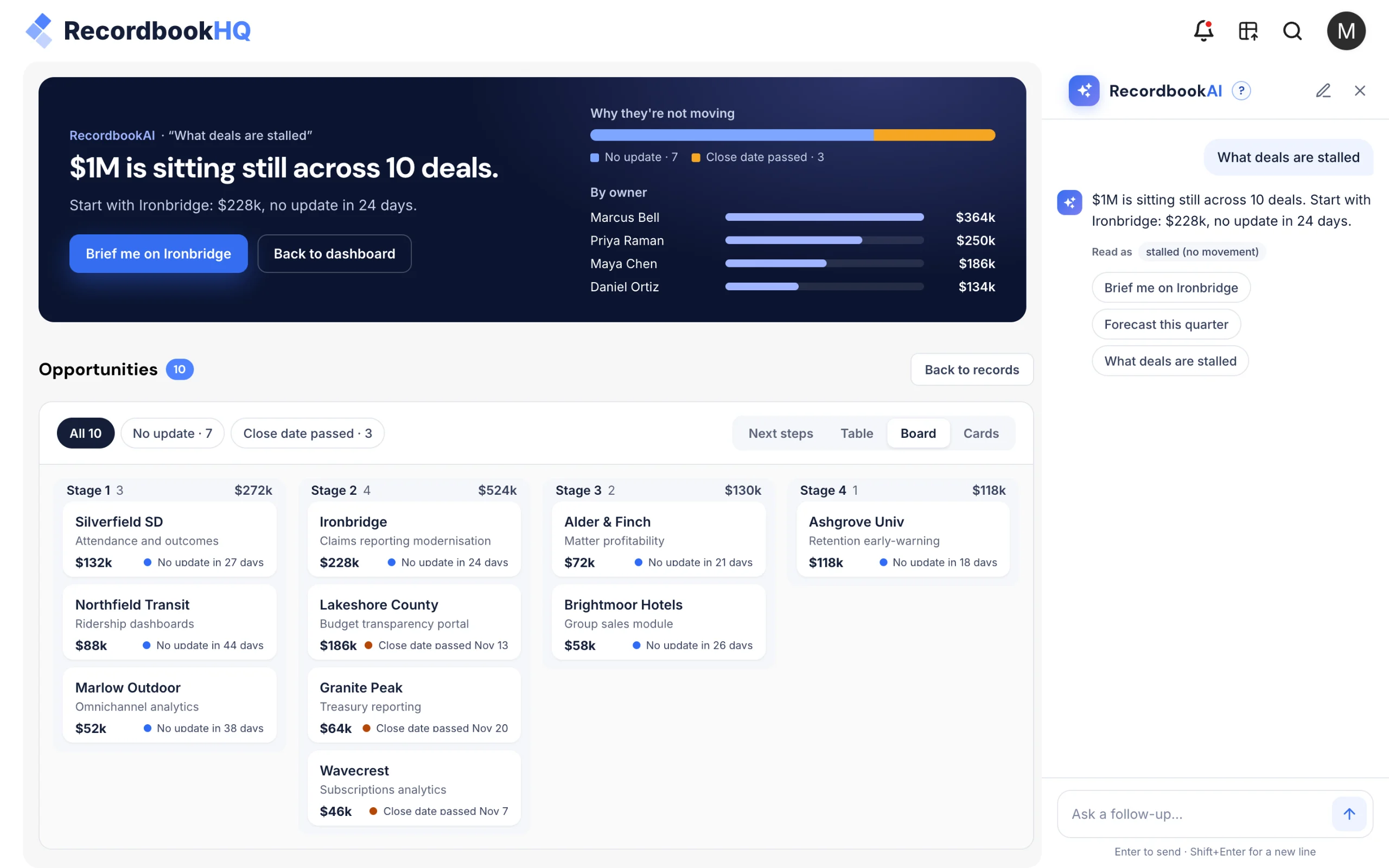
When an answer is a list of deals, pick the view that suits the job. Recordbook remembers it.
- Next steps: each deal’s reason and the one thing to do.
- Table: stage, value, close date and reason, side by side.
- Board: the deals by stage, with totals per column.
- Cards: the full deal card, with its reason on top.
Every account at a glance
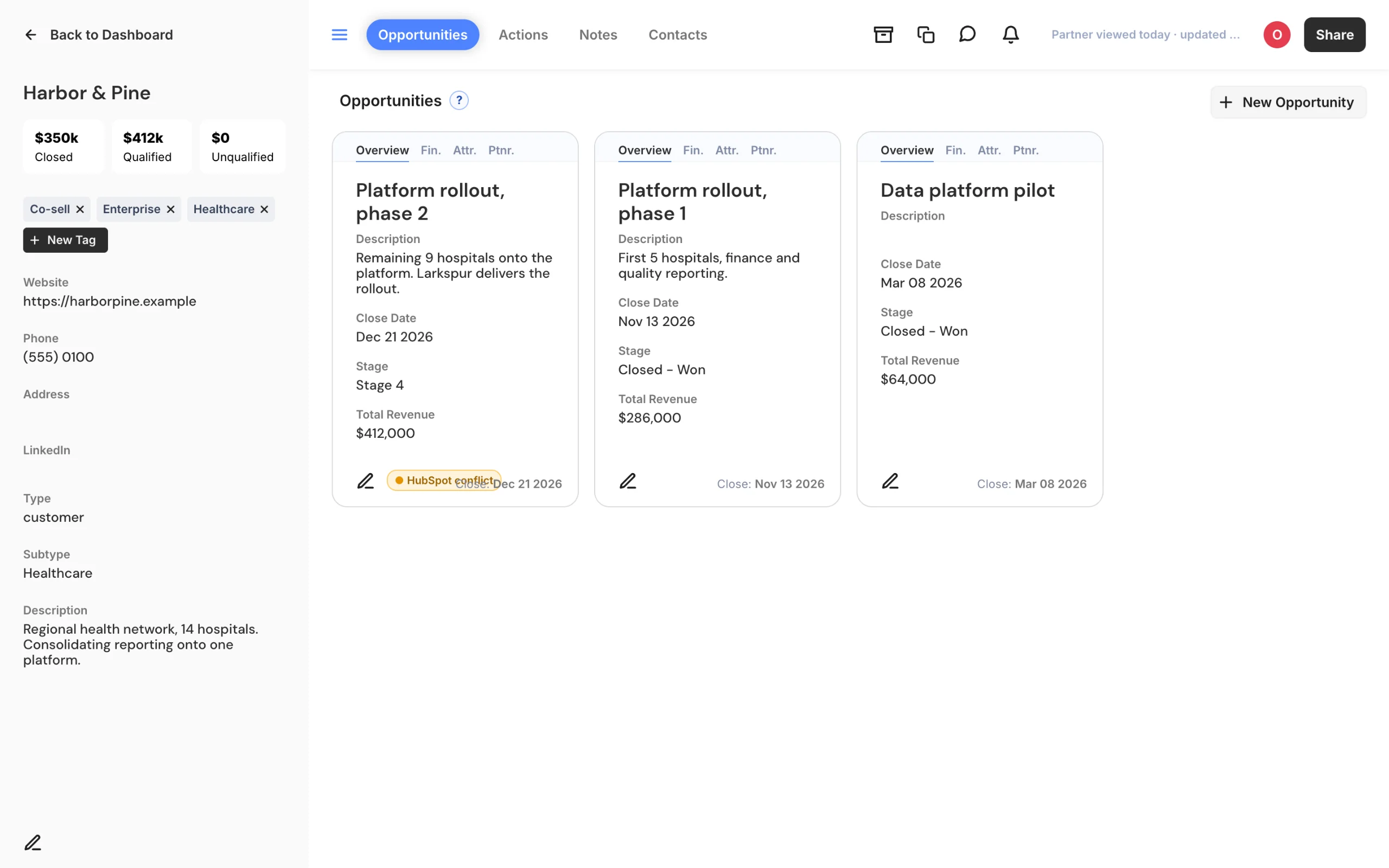
Below the tiles, each account is a card: what’s closed, what’s qualified and what’s still early, with counts of open actions, notes and deals. Share an account with a partner straight from its card, or export the lot to CSV.
Guides: Understanding your sales pipeline · Sales forecasting · Sales goal tracking
Questions
What counts as a stalled deal?
On the dashboard, a qualified deal with no update in 14 days. When you open the list, RecordbookAI also flags deals whose close date has passed and deals with no next step.
How is the forecast worked out?
What’s already closed in the period, plus the open pipeline weighted by each deal’s stage. Ask RecordbookAI Forecast this quarter
to see the deals behind it.
Can I set targets?
Yes. Create a goal with closed, qualified and early-stage targets, pick it in the side panel, and the Closed won tile shows your progress.
Do partner deals show up here?
Yes. Deals you run with partners sit in the same pipeline, and the Partners page breaks them out by partner.
More of Recordbook
-
 Shared records and action plans
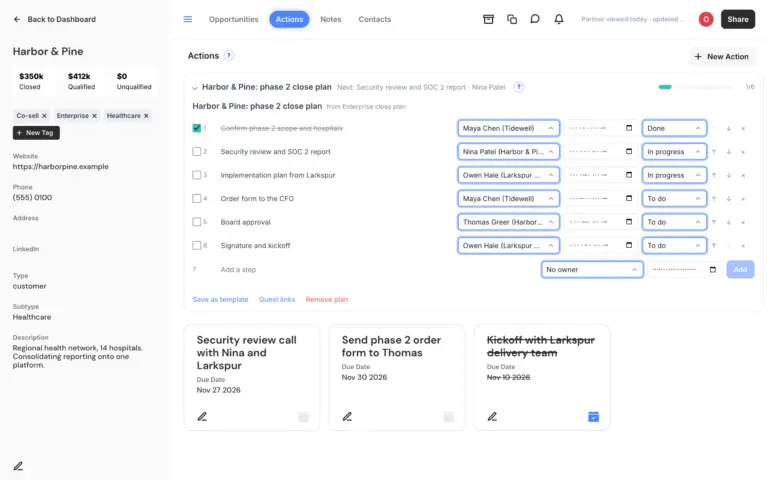
One record both teams work from, with who's who, a mutual close plan and guest links.
-
Partner attribution and scorecards
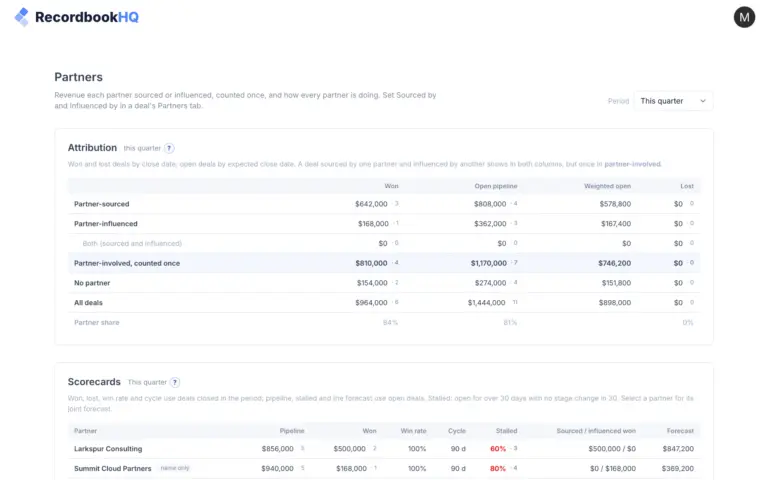
Sourced and influenced revenue counted once, and a scorecard for every partner.
-
Deal registration and referrals
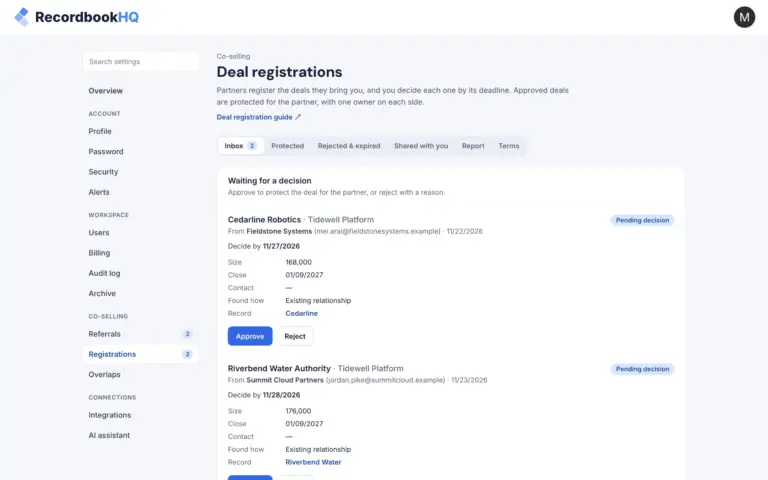
Registrations with a conflict check and 90-day protection, plus referral links for partner reps.
Run your next co-sell deal
from one shared record
Free for up to 25 active records, with every feature. Pro is $99 a month for unlimited records, with a 30-day free trial.
Try free